Floor Plan Component
With this component you can insert a store floor plan into the PDF Design. On the Component tab, you can then define other properties of the component, such as fixture highlight in the floor plan.
Floor Plan Component
You can only insert the Floor Plan component on the Store Start or Store End pages, because we only want to have the floor plan once in the document and it doesn't make sense to repeat this page for each fixture.
You can also insert the Floor Plan component into PDF Design for Planogram, where it highlights the fixture where the planogram is located using red location pin on the floor plan. This makes it easier for store staff to find relevant fixture in the store for specific planogram.
- If you insert this component on Section Start or Section End page, all fixtures within the entire section will be highlighted.
- If you insert this component on Segment page, only the specific piece of fixture related to the planogram will be highlighted.
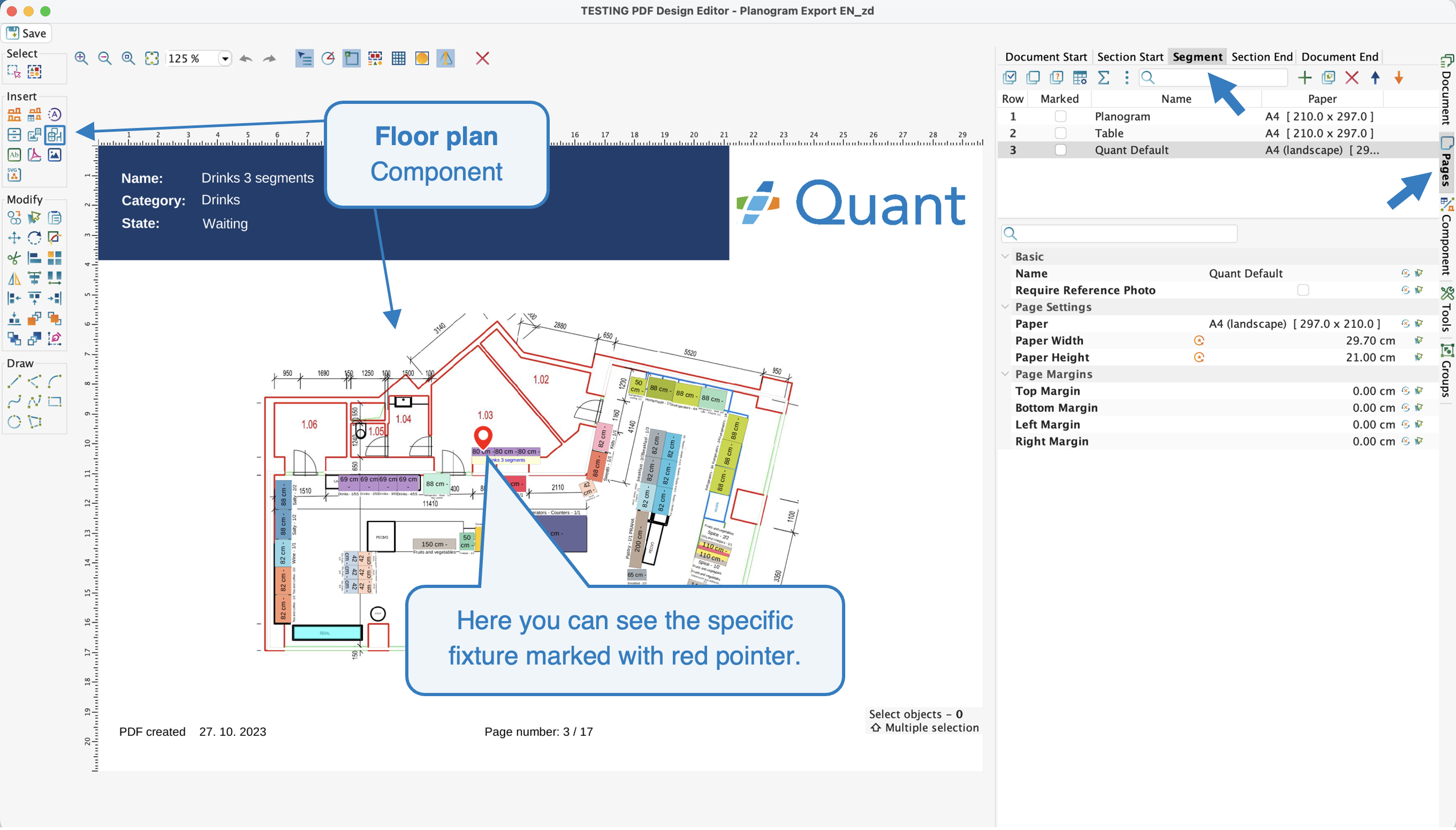 Marked Fixture with Pointer
Basic
- Fixture Highlight: Here you can set the floor plan to be highlighted according to the property you select - e.g. according to subcategories.
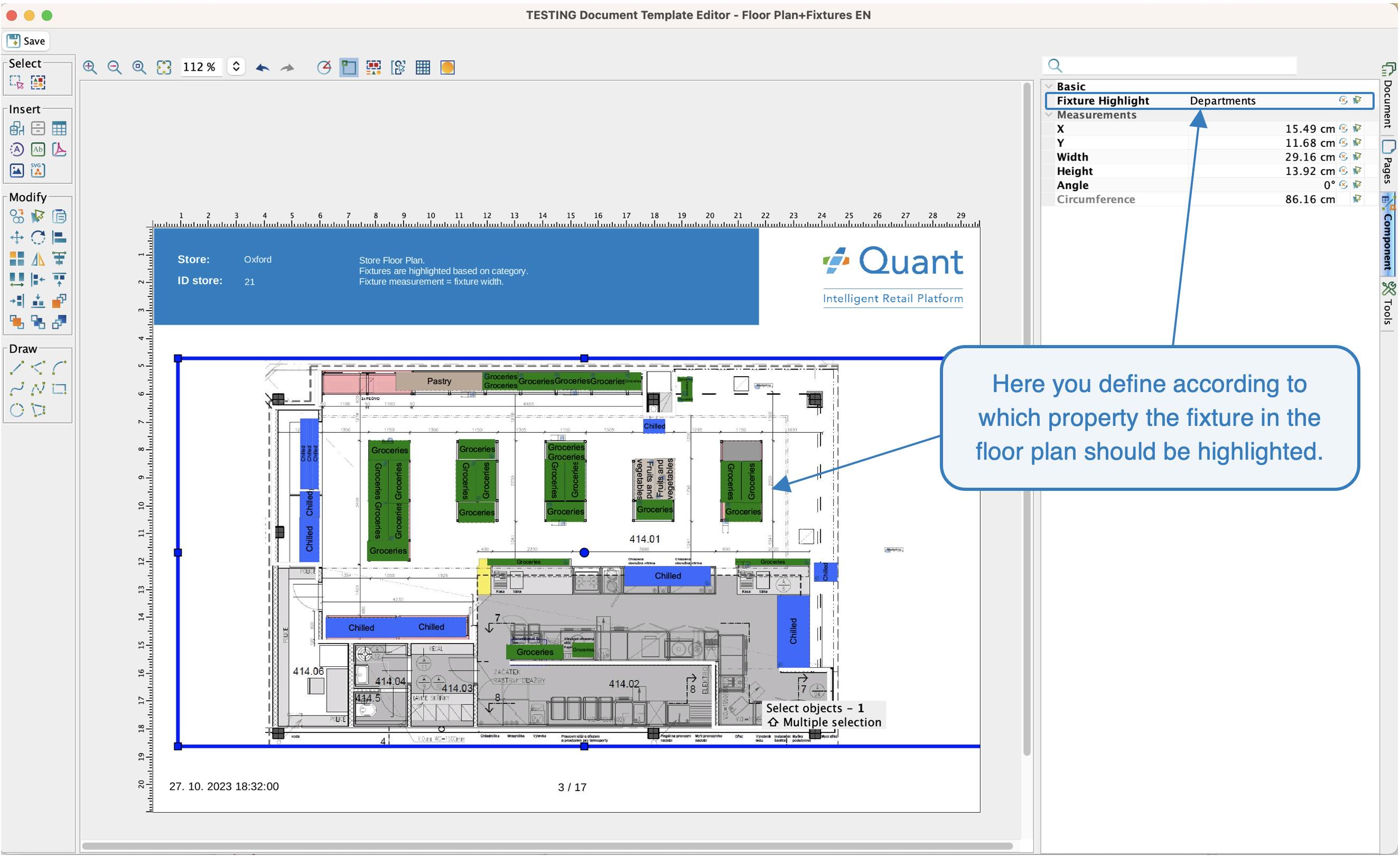 Fixture Highlight
Measurements
In this section you can set the width, angle or position of the inserted component.